零、日常使用
export ALL_PROXY="socks5://127.0.0.1:10808"
export http_proxy="http://127.0.0.1:10809"
source ~/.bashrc
sudo systemctl start v2ray # 启动v2ray
sudo systemctl status v2ray # 检查v2ray状态
sudo systemctl stop v2ray # 关闭v2raycurl -x socks5://127.0.0.1:10808 https://www.google.com -v
proxychains wget https://www.google.com一、下载安装v2ray
curl -O https://raw.githubusercontent.com/v2fly/fhs-install-v2ray/master/install-release.sh

sudo bash install-release.sh
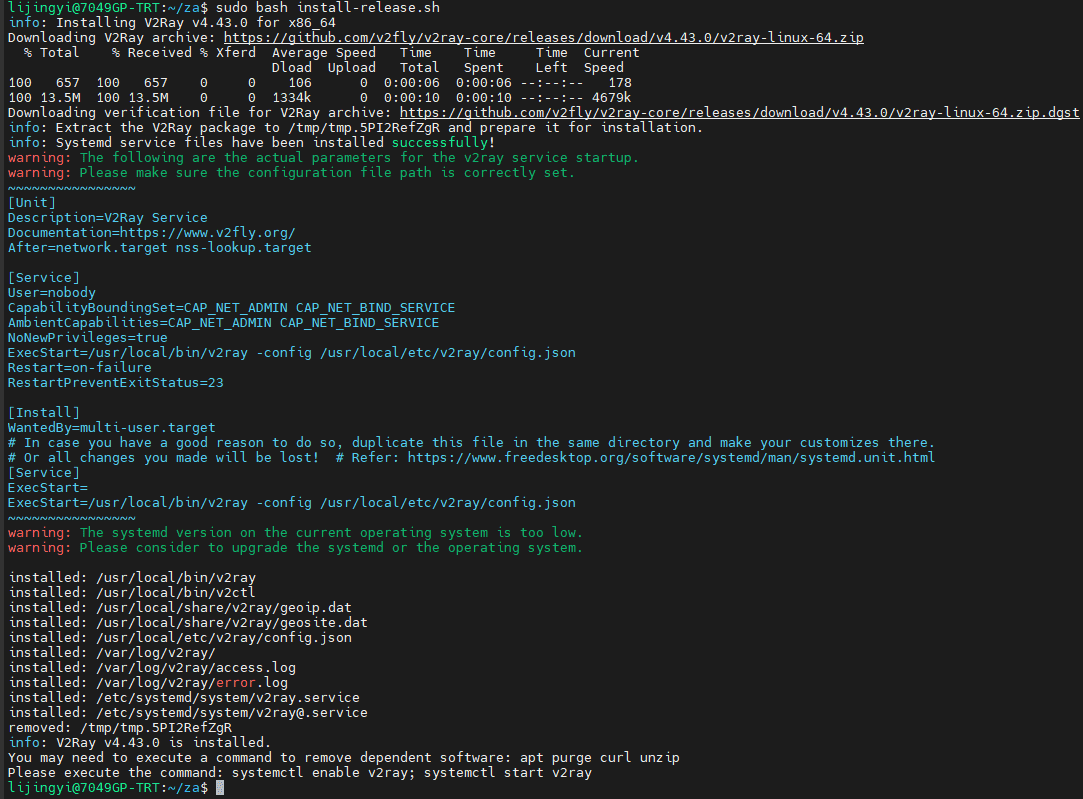
二、配置v2ray
sudo nano /usr/local/etc/v2ray/config.json改3个地方:
{
  "dns": {
    "hosts": {
      "domain:googleapis.cn": "googleapis.com"
    },
    "servers": [
      "1.1.1.1"
    ]
  },
  "inbounds": [
    {
      "listen": "127.0.0.1",
      "port": 10808,
      "protocol": "socks",
      "settings": {
        "auth": "noauth",
        "udp": true,
        "userLevel": 8
      },
      "sniffing": {
        "destOverride": [
          "http",
          "tls"
        ],
        "enabled": true
      },
      "tag": "socks"
    },
    {
      "listen": "127.0.0.1",
      "port": 10809,
      "protocol": "http",
      "settings": {
        "userLevel": 8
      },
      "tag": "http"
    }
  ],
  "log": {
    "loglevel": "warning"
  },
  "outbounds": [
    {
      "mux": {
        "concurrency": 8,
        "enabled": false
      },
      "protocol": "vmess",
      "settings": {
        "vnext": [
          {
            "address": "服务器地址(233.233.233.233)",
            "port": 服务器端口(12345),
            "users": [
              {
                "alterId": 64,
                "encryption": "",
                "flow": "",
                "id": "服务器给的id",
                "level": 8,
                "security": "auto"
              }
            ]
          }
        ]
      },
      "streamSettings": {
        "network": "tcp",
        "security": "",
        "tcpSettings": {
          "header": {
            "type": "none"
          }
        }
      },
      "tag": "proxy"
    },
    {
      "protocol": "freedom",
      "settings": {},
      "tag": "direct"
    },
    {
      "protocol": "blackhole",
      "settings": {
        "response": {
          "type": "http"
        }
      },
      "tag": "block"
    }
  ],
  "routing": {
    "domainStrategy": "IPIfNonMatch",
    "rules": [
      {
        "ip": [
          "1.1.1.1"
        ],
        "outboundTag": "proxy",
        "port": "53",
        "type": "field"
      }
    ]
  }
}
sudo systemctl start v2ray # 启动v2ray
sudo systemctl status v2ray # 检查v2ray状态
sudo systemctl enable v2ray # 设置V2ray开机自启动
curl -x socks5://127.0.0.1:10808 https://www.google.com -v # 检验代理是否成功生效
sudo systemctl stop v2ray # 关闭v2ray三、本机使用代理
export ALL_PROXY="socks5://127.0.0.1:10808"
export http_proxy="http://127.0.0.1:10809"
source ~/.bashrc
用 proxychains:
sudo apt install proxychains
nano /etc/proxychains.conf
把最后一行改成:
socks5 127.0.0.1 10808
proxychains wget https://www.google.com四、
官方文档:https://www.v2fly.org/guide/start.html#%E6%9C%8D%E5%8A%A1%E5%99%A8
官方repo:https://github.com/v2fly/fhs-install-v2ray/wiki/Migrate-from-the-old-script-to-this
reference:https://www.junz.org/post/v2_in_linux/